
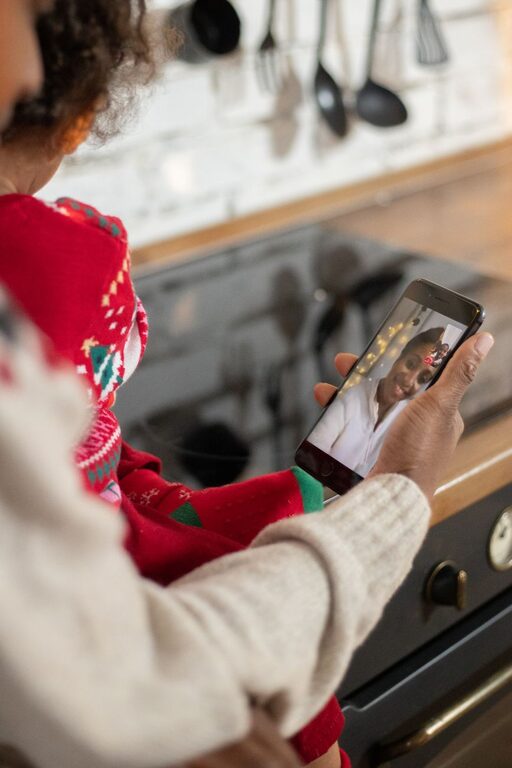
Video calls make it easier to stay close to family, even when everyone lives in different places. A quick call can help grandparents see the latest family moments, let children share a school project, or give relatives a chance to catch up during a busy week.
Still, video calls do not always go smoothly. Poor lighting, background noise, weak internet connections, and awkward scheduling can make a call feel more stressful than helpful. With a little planning, you can create video calls that are comfortable, reliable, and enjoyable for everyone.
Choose a Platform That Works for Everyone
The best video calling service is usually the one your family can use without confusion. Before choosing a platform, consider the devices your relatives already own and how comfortable they are with technology.
Look for features such as:
– Easy sign-in and simple call controls
– Support for phones, tablets, and computers
– Group calling for several family members
– Clear audio and video
– Options for captions or larger text
– Screen sharing for photos, games, or activities
If some family members are new to video calls, choose a service with a straightforward layout. It may help to use the same platform for every call rather than switching between several apps.
Do a Practice Call
A short practice call can prevent problems later. Help family members test their camera, microphone, speakers, and internet connection. Show them how to answer a call, mute the microphone, turn the camera on or off, and end the call.
If possible, create a simple written guide with screenshots. Keep the instructions near the device they use for calls so they can refer to them when needed.
Find the Best Place for the Call
Your surroundings can make a major difference in call quality. Choose a quiet location where you can sit comfortably and keep your device steady.
Try to avoid places with:
– Loud televisions or music
– Frequent foot traffic
– Strong echoes
– Bright windows directly behind you
– Unstable surfaces that make the camera shake
A table, desk, or shelf can provide a stable place for a phone or tablet. If you are using a computer, position the screen so the camera is close to eye level. This creates a more natural view than looking down at the device.
Improve Lighting and Camera Position
Good lighting helps everyone see facial expressions clearly. Natural light is often the easiest option, but avoid sitting with a bright window behind you. Instead, face the window so the light falls toward your face.
If the room is dark, place a lamp in front of you or slightly to one side. Avoid using a strong light directly above your head, as it can create shadows.
Before the call begins, check the camera view. Your face should be centered, with a little space above your head. If several people are joining from one device, move the camera back far enough to include everyone.
Make Audio Easier to Hear
Clear audio is often more important than perfect video. Speak at a comfortable volume and keep the microphone close enough to pick up your voice without forcing you to shout.
For better sound:
– Close nearby doors and windows
– Turn off music and other background noise
– Use headphones if there is an echo
– Mute your microphone when someone else is speaking
– Avoid placing your hand over the device microphone
– Pause briefly before responding if there is a delay
If the call includes several people, remind everyone to speak one at a time. This prevents voices from overlapping and makes the conversation easier to follow.
Plan a Regular Calling Routine
A regular schedule can help family members stay connected without adding stress. Choose a day and time that works for most people, then add it to everyone’s calendar.
The call does not need to be long. A 15-minute check-in can be meaningful, especially when it happens consistently. Some families may prefer one longer call each week, while others may enjoy shorter calls several times a month.
When setting a schedule, consider:
– Different time zones
– Work and school commitments
– Nap or bedtime routines
– The availability of older relatives
– Whether family members need reminders
Send a reminder a day or a few hours before the call. If someone cannot attend, consider recording a short message or arranging a separate call.
Give Each Call a Simple Focus
Unstructured calls can sometimes become quiet or difficult to manage, especially when many people join. A simple theme or activity gives everyone an easy way to participate.
You could try:
– Sharing one highlight from the week
– Showing a favorite meal, book, or hobby
– Looking through old family photos
– Playing a simple trivia or guessing game
– Reading a story with younger children
– Celebrating birthdays and other special occasions
– Taking a virtual tour of a room, garden, or local view
A planned activity does not have to take up the entire call. Even one question, such as “What was the best part of your week?” can help start a natural conversation.
Include Children in Age Appropriate Ways
Young children may not stay focused on a long conversation. Keep their participation active and brief. Ask them to show a drawing, demonstrate a toy, or lead a simple game.
You can also create small traditions, such as singing a familiar song, sharing a joke, or having family members wave hello and goodbye. These repeated activities give children something to look forward to.
Be Patient With Technology
Technical problems are normal. Internet connections can slow down, devices may need updates, and someone may accidentally mute the microphone. Treat these moments as part of the process rather than a reason to end the call immediately.
If the connection becomes poor, try these steps:
- Move closer to the Wi-Fi router.
- Close other apps or streaming services.
- Turn off the camera temporarily to improve audio.
- Leave the call and reconnect.
- Switch to a phone call if video is not working.
It can also help to update the calling app and device before an important family event. Make these updates ahead of time so they do not interrupt the call.
Keep Calls Comfortable and Inclusive
Every family member may have different needs and preferences. Some people may prefer shorter calls, while others enjoy longer conversations. Give everyone a chance to speak, and avoid making anyone feel pressured to stay on camera.
For larger calls, choose one person to welcome everyone and guide the conversation. You can also invite quieter participants to share their thoughts without putting them on the spot.
If someone has difficulty hearing, speak clearly, reduce background noise, and consider using captions if the platform offers them. For family members who are less comfortable with technology, provide patient, step-by-step help.
Protect Personal Privacy
Use the platform’s privacy and security settings to control who can join a call. Avoid sharing meeting links publicly, especially for private family conversations. If the service provides a waiting room, passcode, or host approval feature, consider using it.
Be thoughtful before recording a call or taking screenshots. Ask everyone for permission first, and make sure family members understand where the recording or image will be stored and shared.
Focus on Connection, Not Perfection
The most valuable part of a family video call is the opportunity to spend time together. A frozen screen, an unexpected interruption, or a moment of silence does not ruin the experience. Often, these small imperfections become part of the memories you share.
Choose a reliable platform, prepare the space, set a regular routine, and add simple activities when needed. With these habits, video calls can become a natural and enjoyable way for family members to stay involved in one another’s lives.